🎓 Accreditation Application Guide
From sign-up to certificate download — simple steps for schools
1
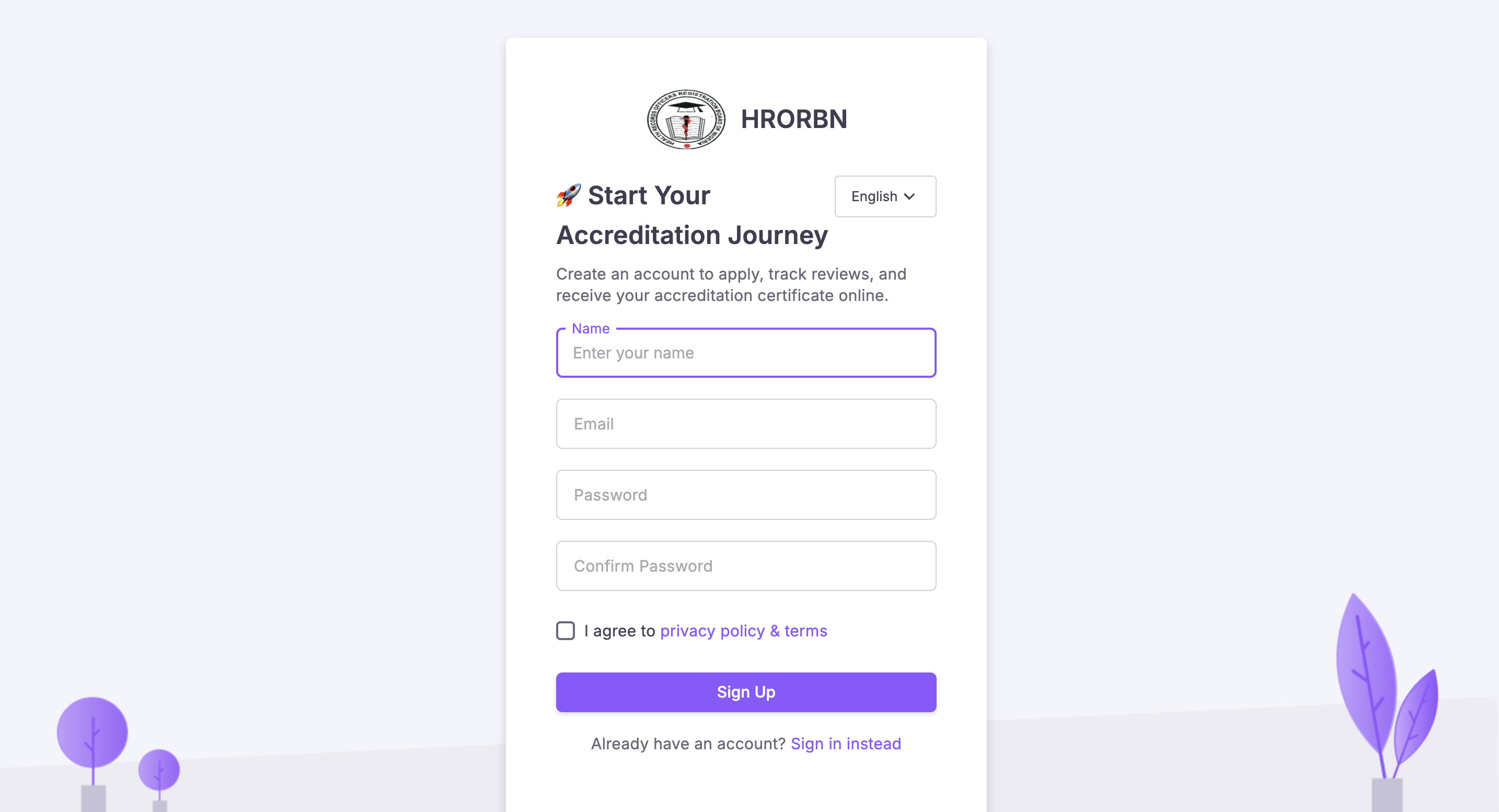
Create an Account
Register your institution using a valid email address.
- Visit the login page
- Click “Register”
- Fill institution details
- Verify your email
2
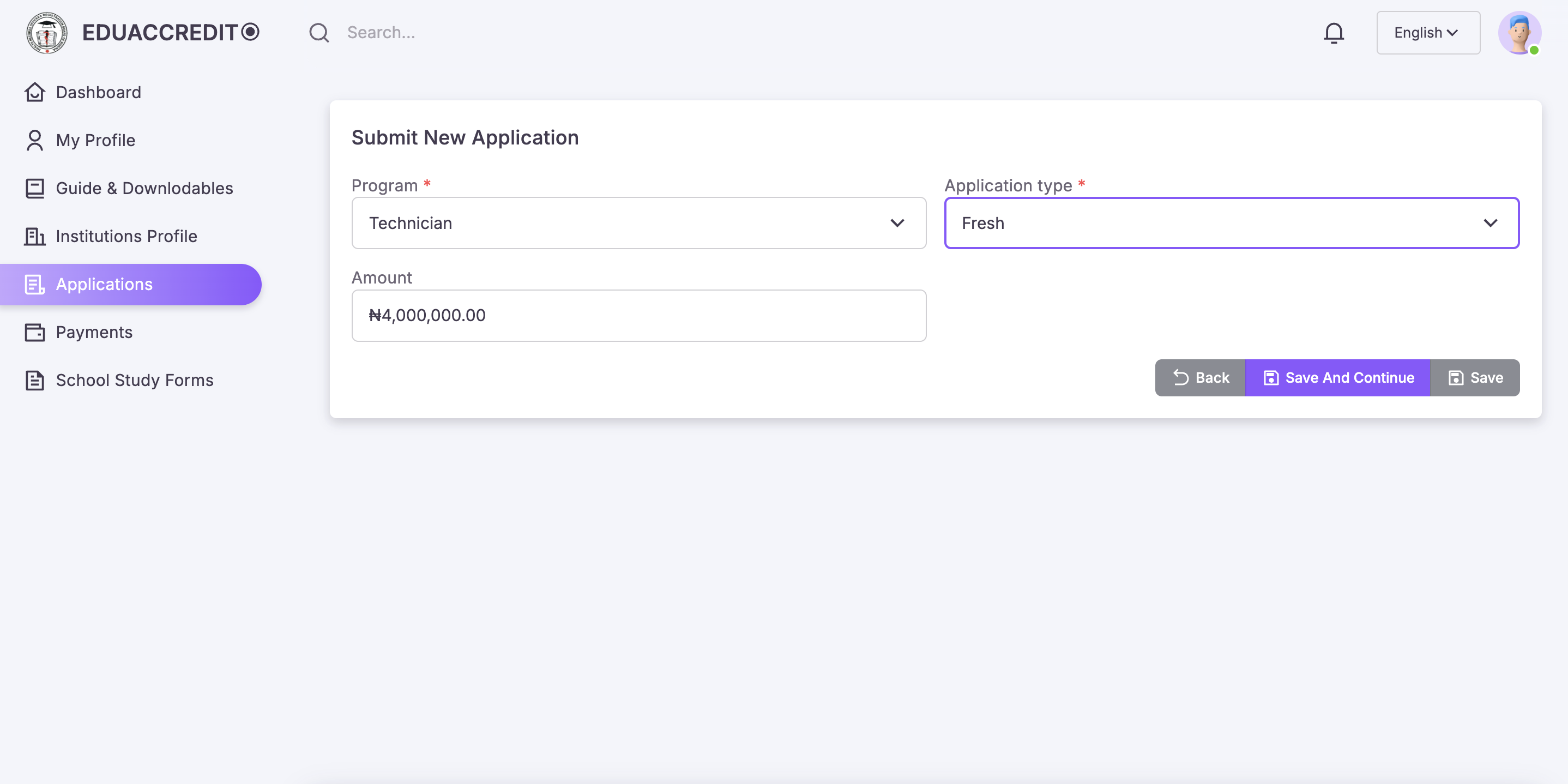
Submit Accreditation Application
Start a new application and provide programme details.
- Select programme
- Choose application type
- Confirm fee summary
3
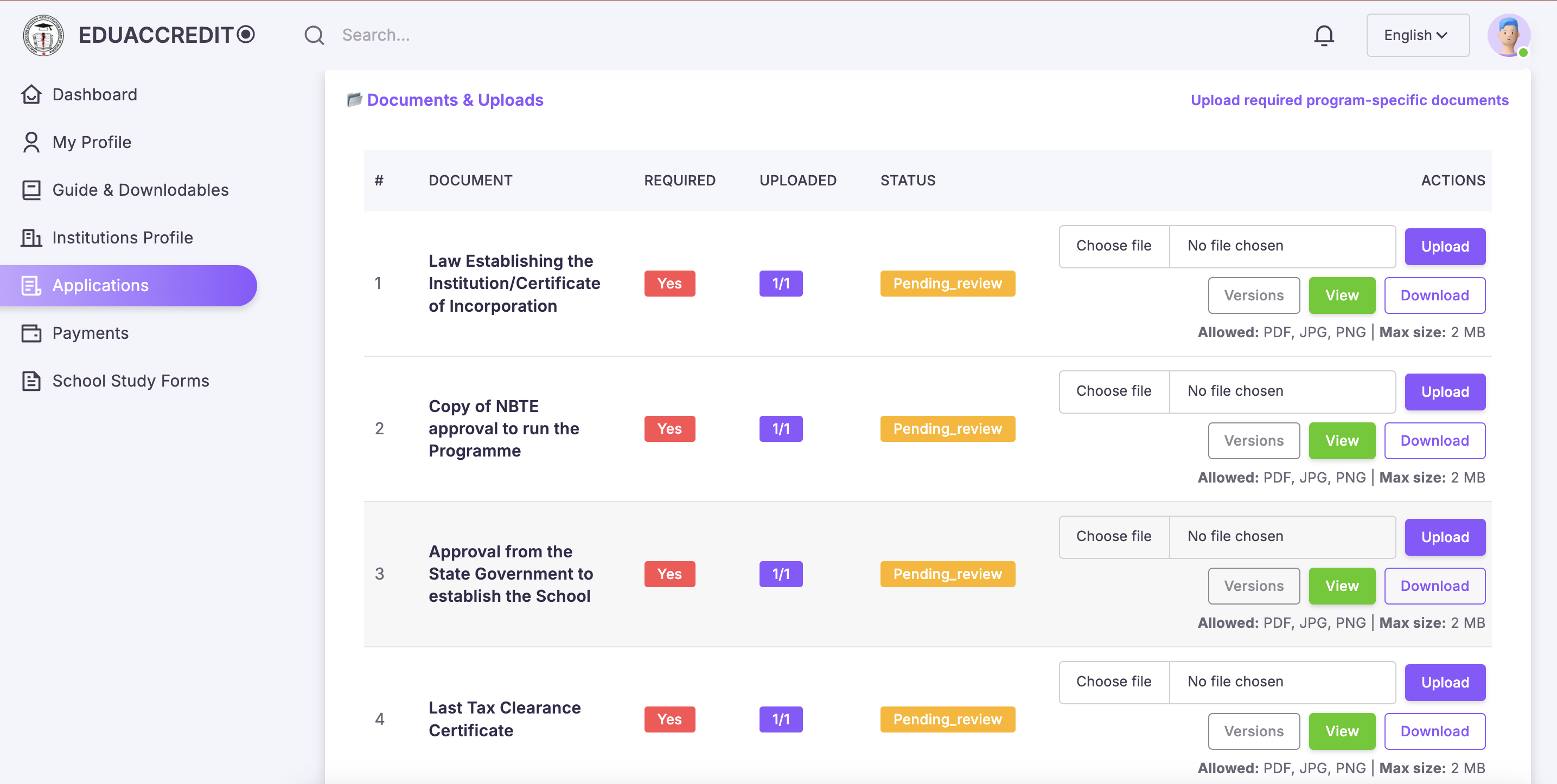
Upload Documents
Upload all required academic and institutional documents.
- Curriculum
- Staff details
- Facilities evidence
4
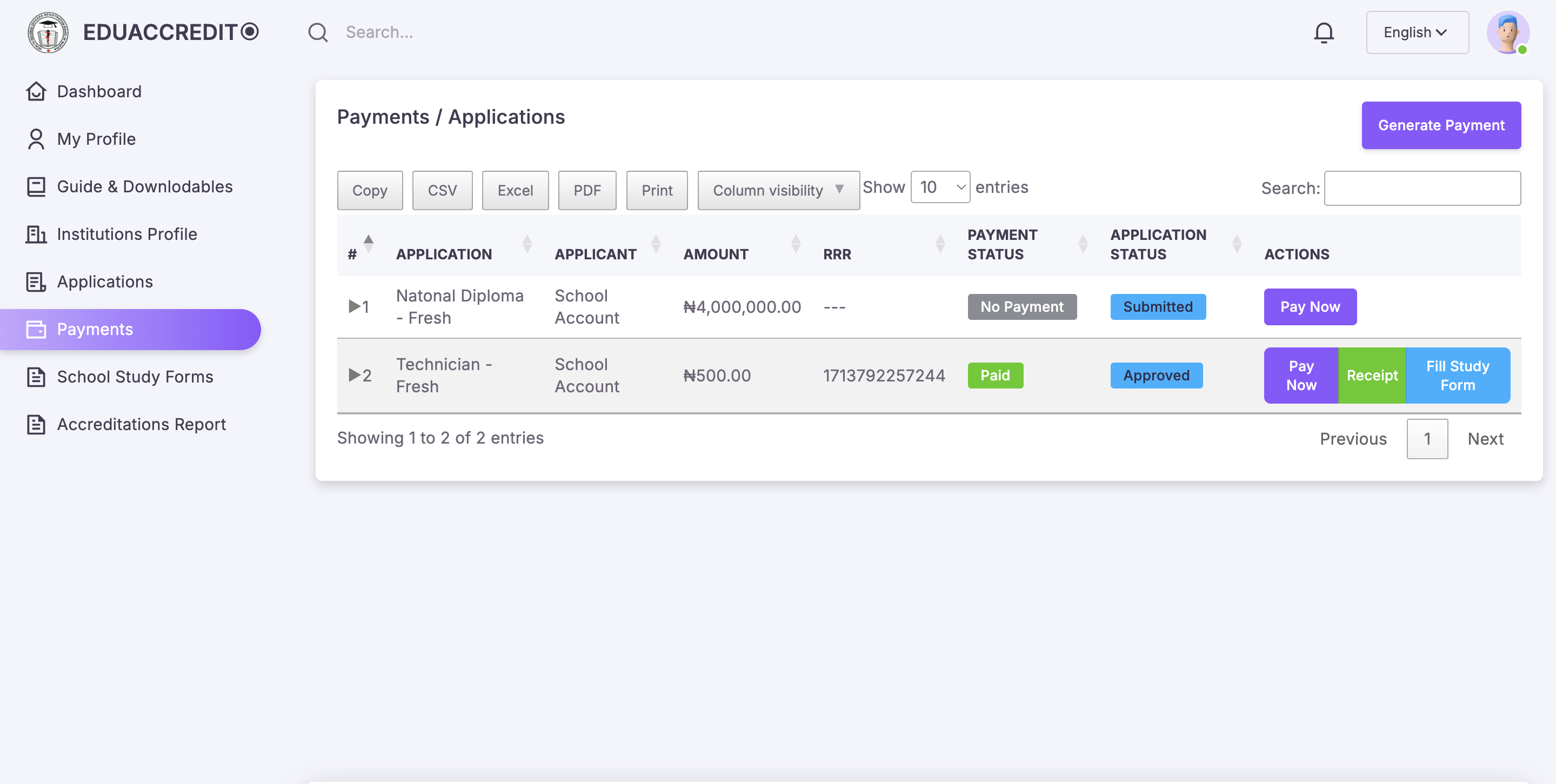
Payment, Confirmation & Studyform
Make payment for the application. Inspection only proceeds after payment is confirmed.
- Generate invoice
- Complete payment
- Payment status confirmed
- Fill studyform
5
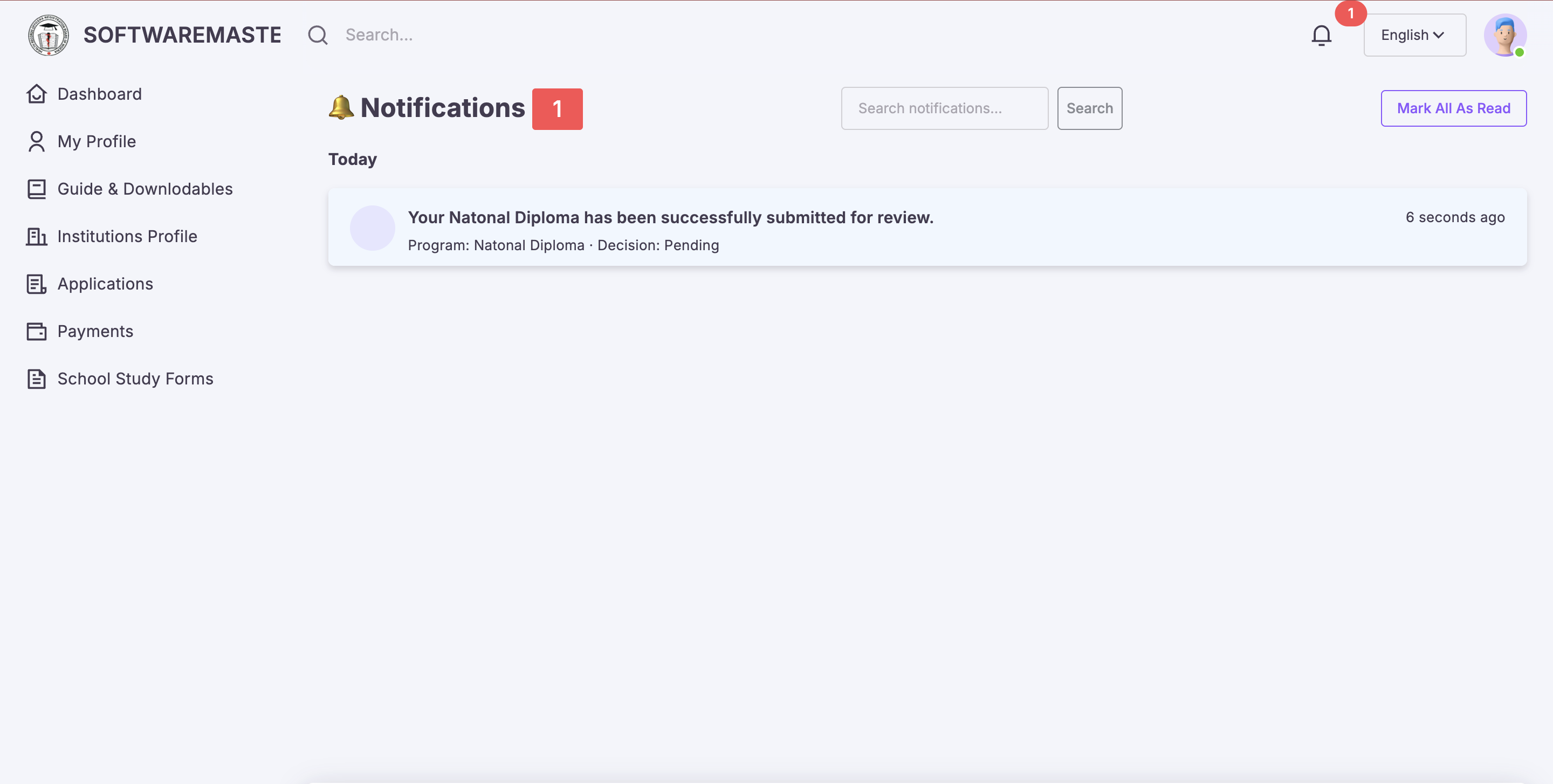
Review & Inspection
Inspectors and reviewers assess your submission.
- Inspectors assigned
- Inspection scheduled
- Feedback via notifications
6
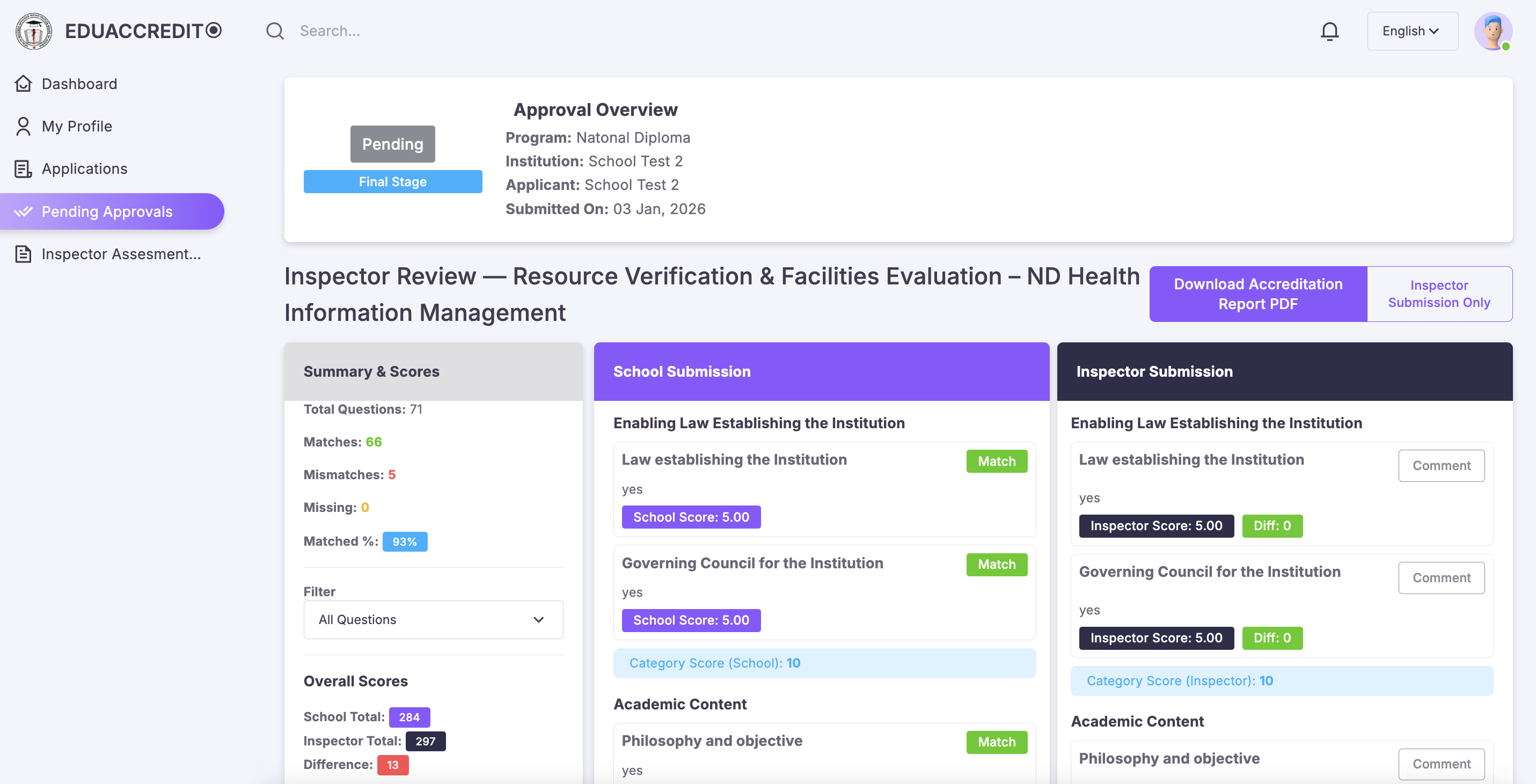
Accreditation Decision (Admin Page)
Final approval decision is issued.
- Approved / Interim / Probation
- Automatic notification
- Status on dashboard
7
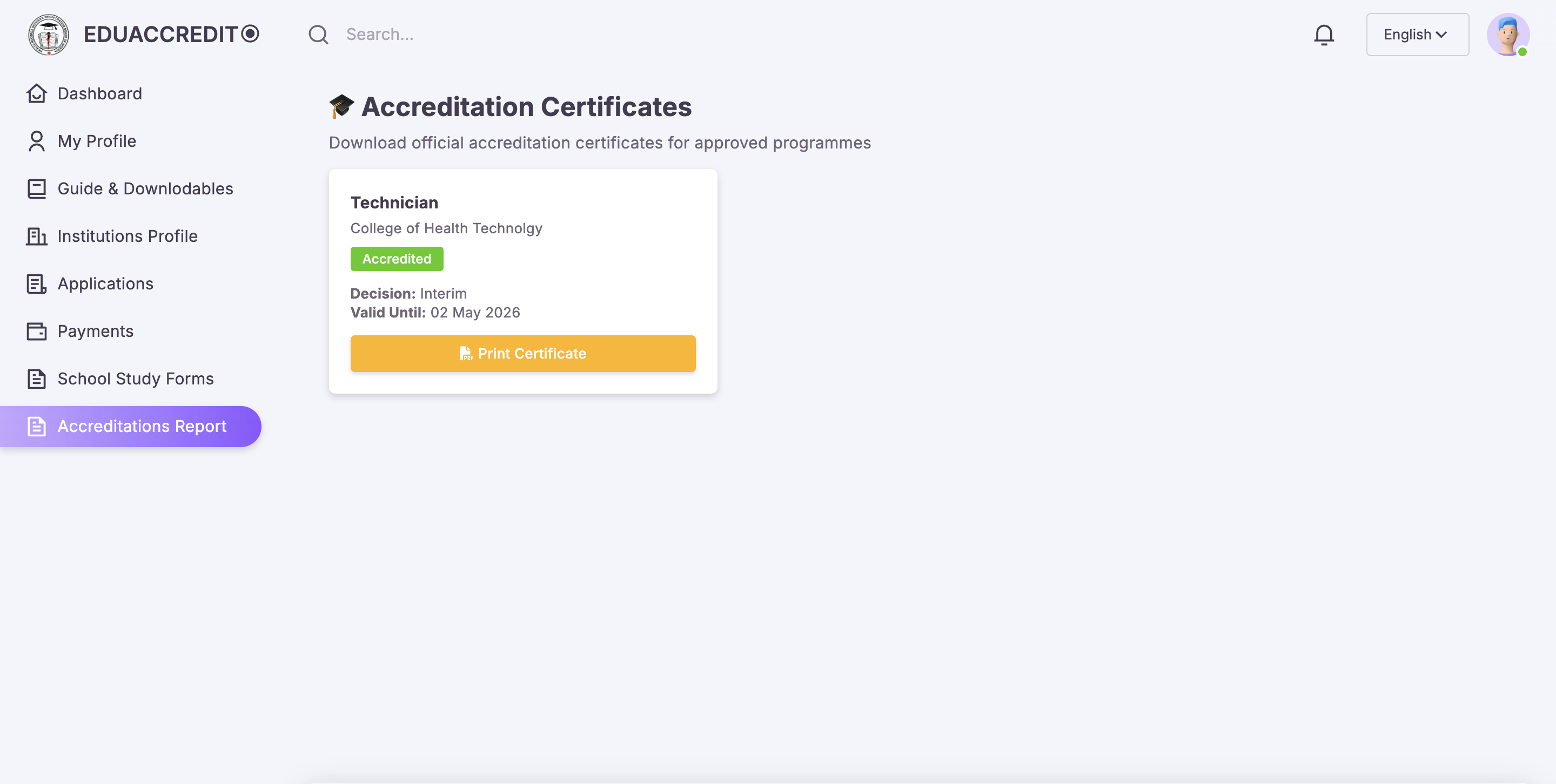
Download Certificate
Download your accreditation certificate once approved.
- Go to Accreditations
- Click Download Certificate
- Save or print PDF
Need Assistance?
Download the full guide or chat with our support team.